
There are 4 ways of creating snippets: text, photo, camera and audio.
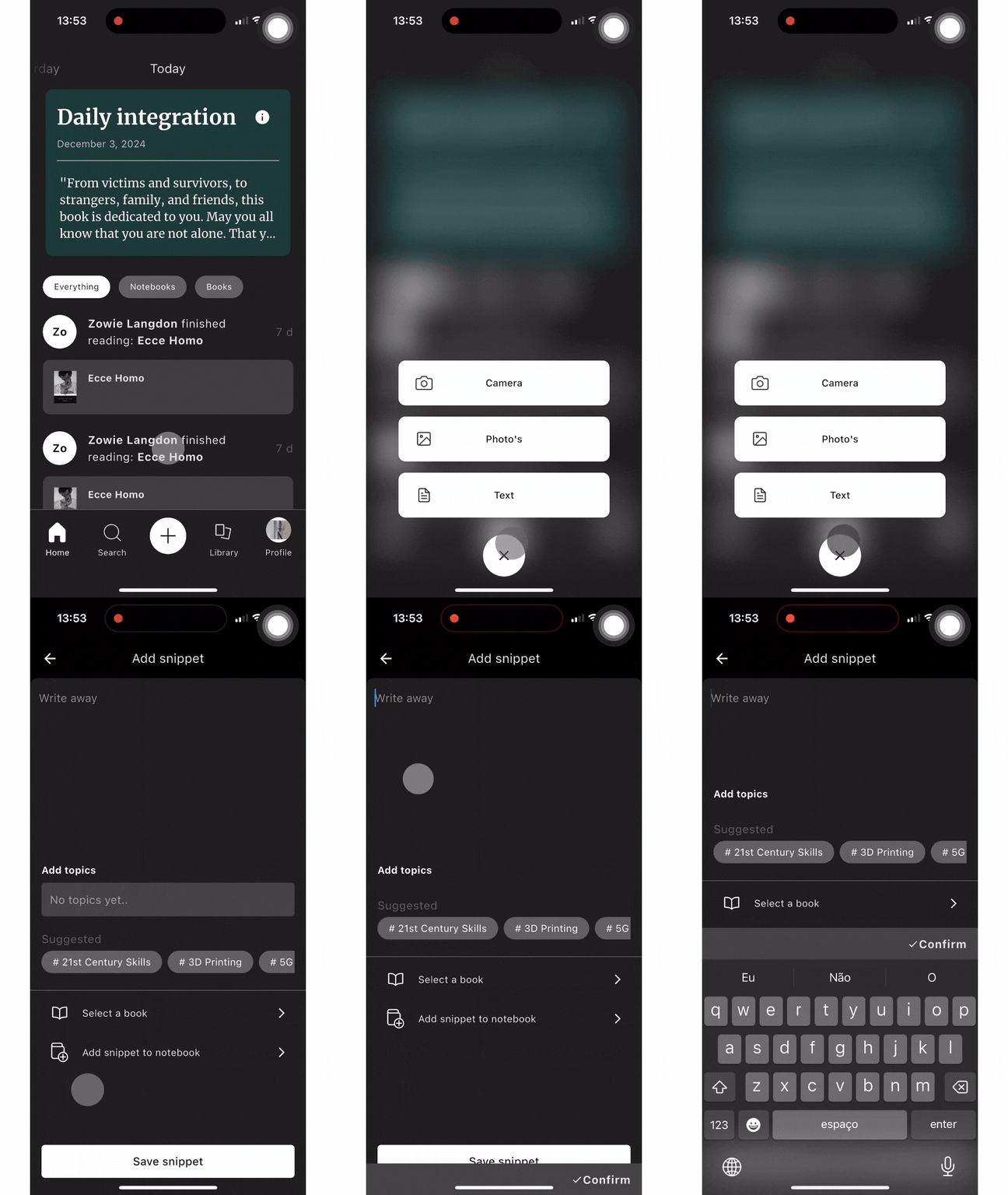
To create a text snippet you just have to:
- Go to the ‘+’ button.
- Select ‘Text’.
- Write your snippet.
- Add a topic to it.
- Select a book - you can link your snippet to the book that it is from.
- Add the snippet to a notebook.
- Click on ‘Save snippet’.
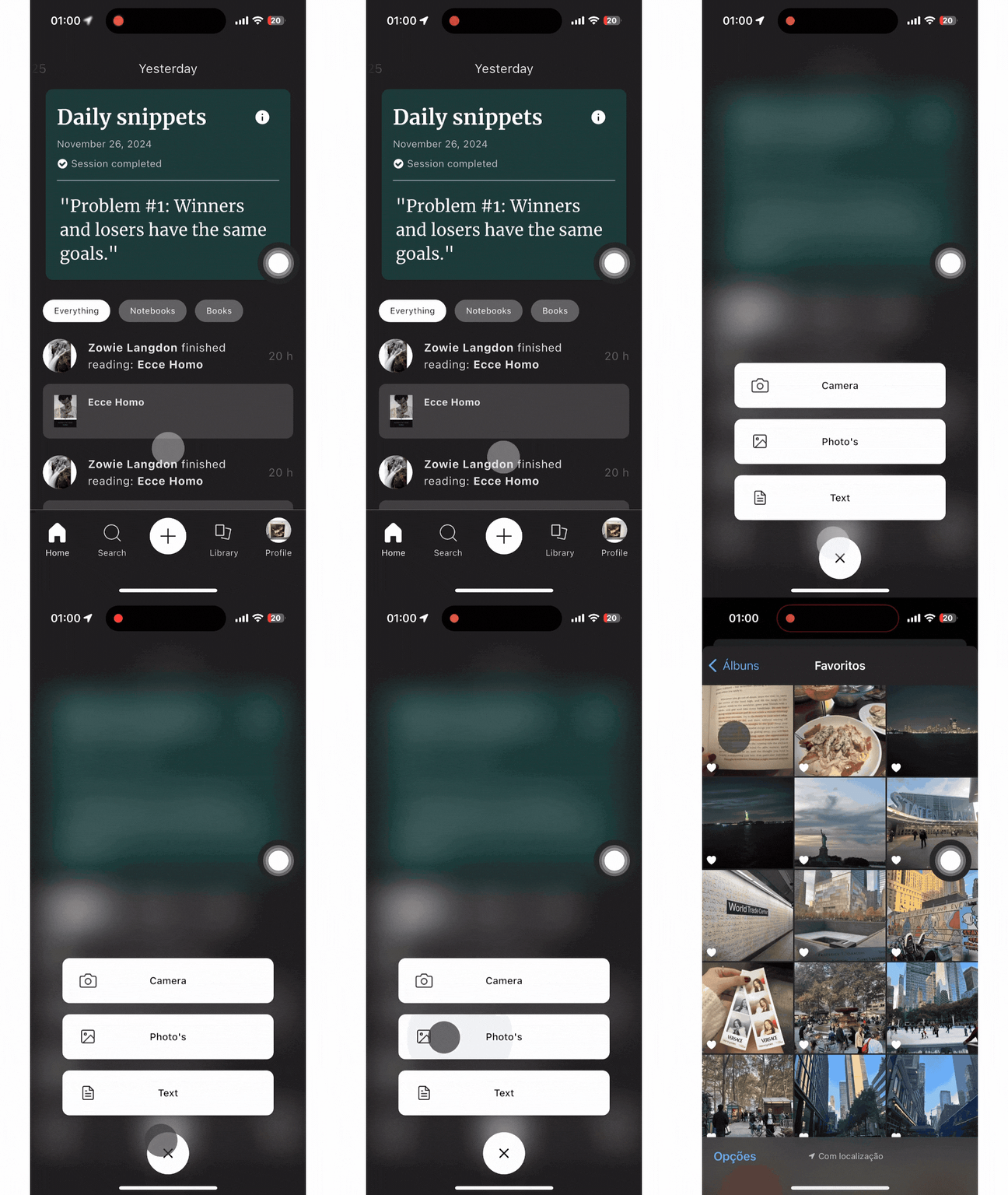
To create a photo snippet:
- Click on the ‘+’ button.
- Select ‘Photo’s’.
- Select the photo of your snippet - Integrate will transform the text on the photo into a snippet.
- You can resize the photo to your preference - click on ‘done’ once the photo is resized to your liking.
- Once you have your snippet, add topics related to the snippet.
- You can also link your snippet to a book by selecting a book.
- Add your snippet to a notebook.
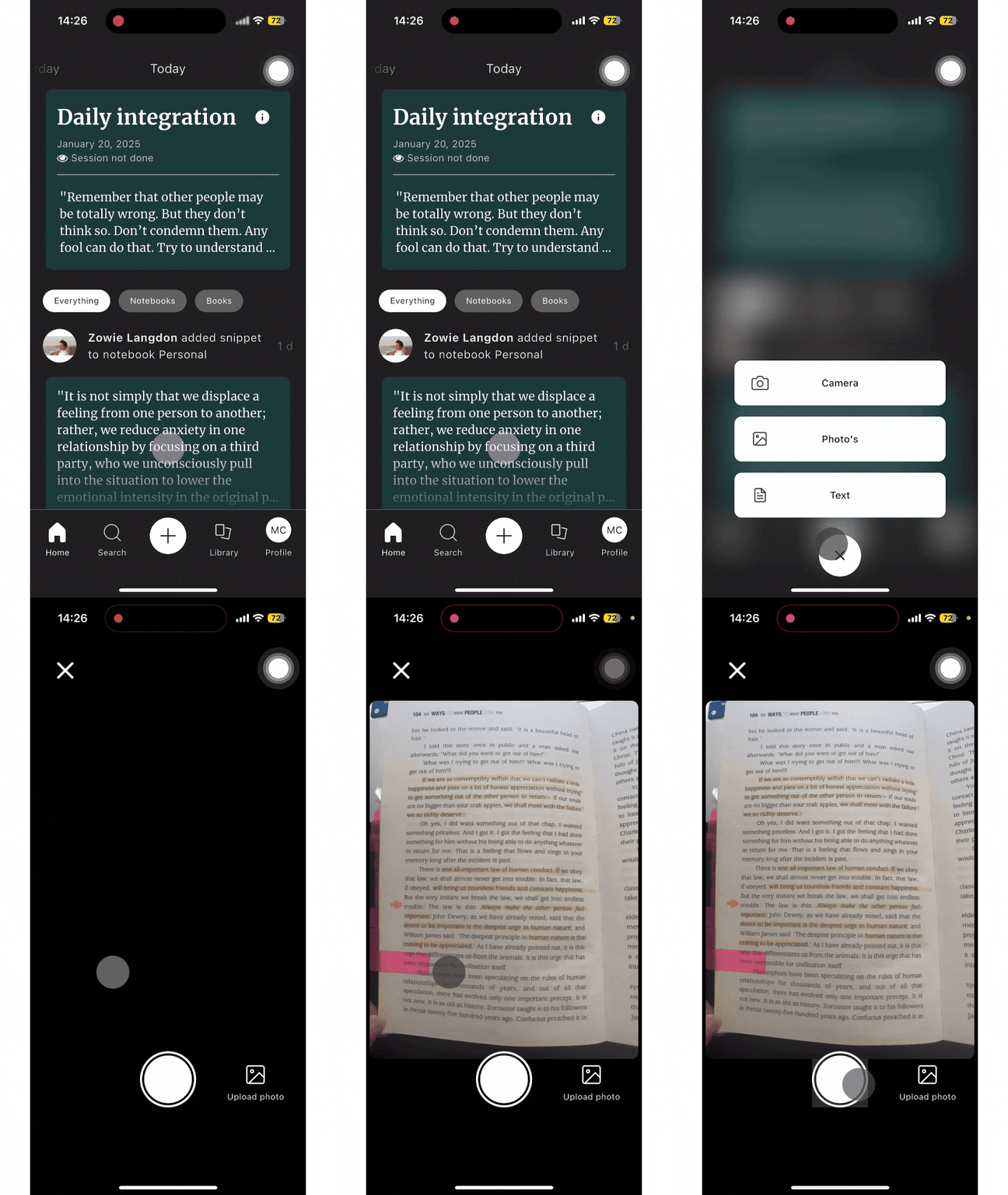
To create a camera snippet:
- Click on the ‘+’ button.
- Select ‘Camera’.
- Your camera will open - you just need to take a picture of the snippet.
- Resize your picture to fit your snippet better and click on ‘done’.
- Add topics related to your snippet, select the book your snippet is from and add your snippet to a notebook.
To check how you can create an audio snippet check this article:
 Made with Bullet