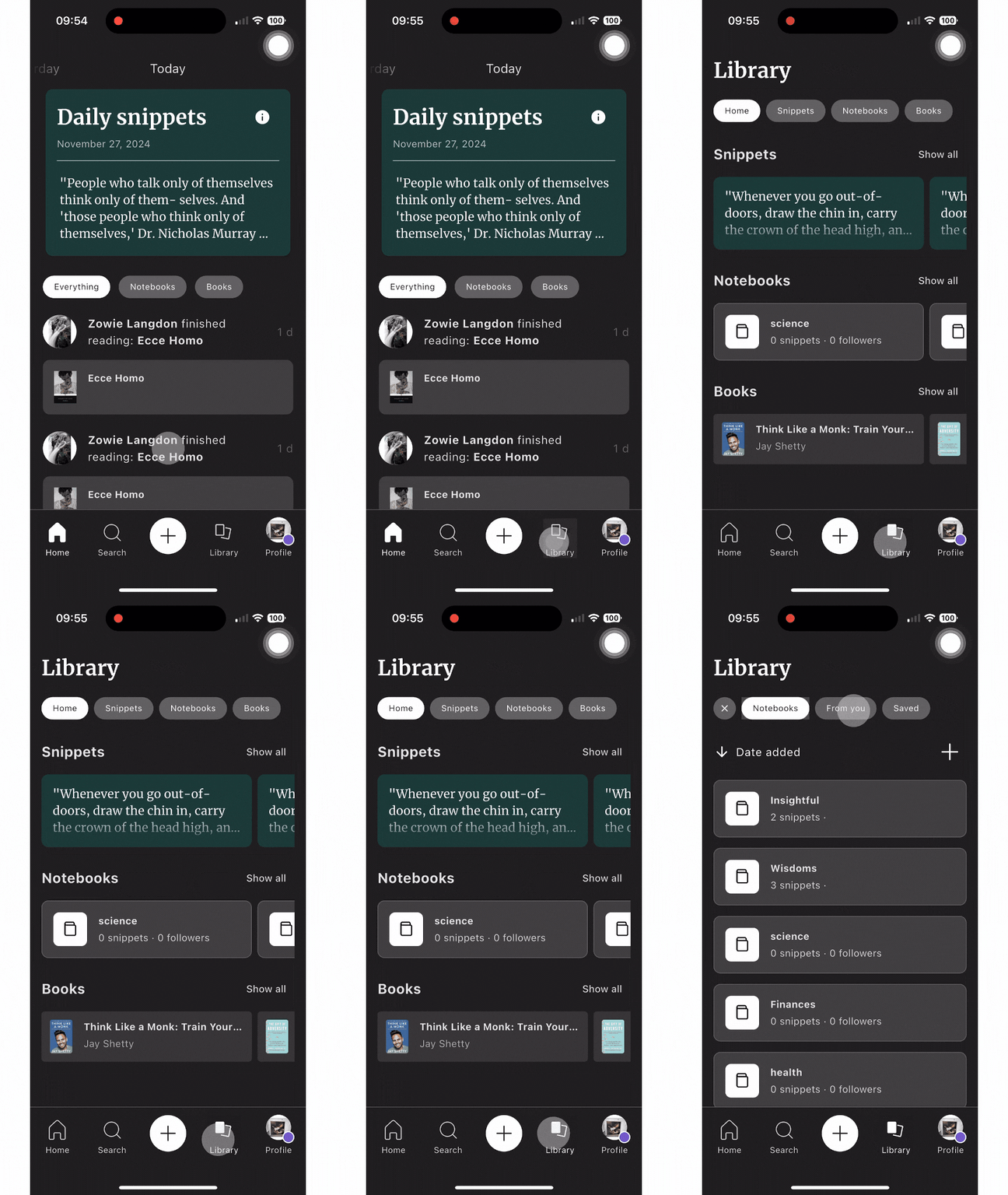
Here's how to create a Notebook:Go to the libraryClick on "Show all" in the Notebooks sectionClick the '+' button at the top of the pageWrite a title and description for the NotebookClick on "Create Notebook"You're all set 🙂

 Made with Bullet